Description
What’s included?
Proactive health monitoring and remote maintenance for your compatible Hikvision CCTV.
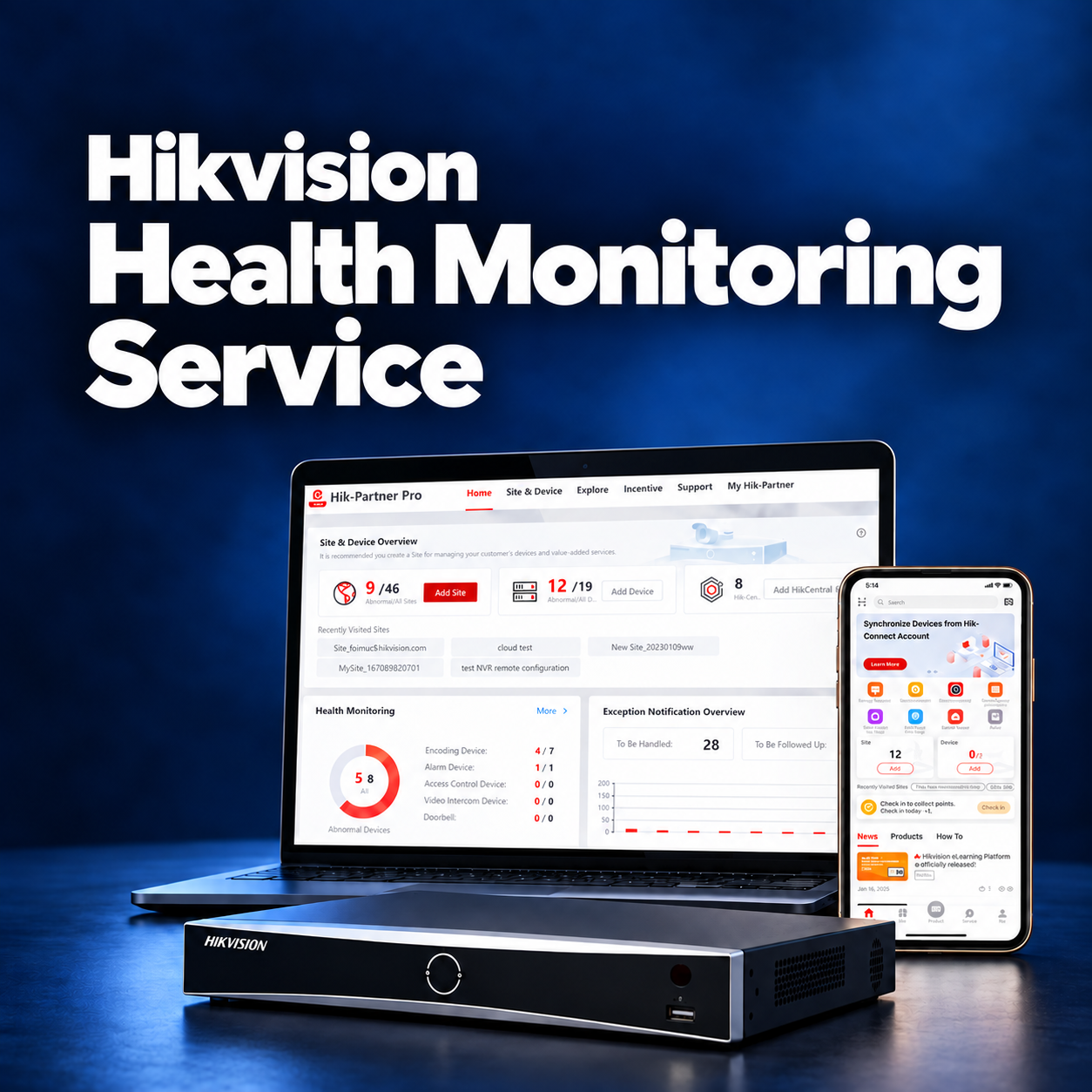
24/7 device health monitoring
Automated checks run around the clock while the device and cloud service are connected. We can review supported recorder, camera connection and storage information from the health dashboard. Checks are periodic; available status information and refresh intervals vary by device and firmware.
Alerts when an issue is detected
Device exception notifications help us identify supported offline devices, disconnected cameras, video loss and storage faults. Alerts are received through the installer platform and configured notification channels. The exact faults detected, recipients and delivery time depend on equipment and setup; immediate delivery to every customer phone is not guaranteed.
Remote troubleshooting and maintenance
Where supported and authorised, remote tools allow device reboots, configuration adjustments, firmware upgrades and password-reset assistance. This can reduce the need for a site visit. Password recovery depends on the model, account authorisation and Hikvision’s verification process.
Detailed health reports and logs
Health reports show supported device status and detected exceptions, helping you understand whether your system needs attention. Reports can be scheduled or exported, with delivery arranged during setup. Available logs and fault-duration information depend on the platform and device; reports are not a guarantee of continuous recording.
Controlled access and permissions
You authorise WEBHAYER to maintain your devices. Available permissions control which supported functions we may use and, where offered, the duration of access. Live view and playback require appropriate authorisation; technical monitoring does not mean continuous watching of your cameras.
Secure remote connection
The service uses Hikvision’s cloud connection and supported security controls. A compatible Hik-Connect connection normally avoids the need to expose recorder ports through manual port forwarding. Keep device firmware and your app updated and protect your account credentials.
Requirements
We check compatibility and access before activation.
- A compatible Hikvision NVR or DVR, with supported firmware.
- A reliable internet connection and continuous power to the monitored equipment.
- Hik-Connect enabled on the device.
- A registered Hik-Connect account with ownership or the necessary authority.
- The current supported Hik-Connect app on your phone or tablet.
- Your permission for WEBHAYER to access device health information and the agreed maintenance functions.
Which devices can be supported?
Hikvision’s wider platform supports compatible cameras, recorders, alarm systems, access control and intercom devices, but functions and licensing differ. This £25 CCTV package is for one compatible recorder. We assess additional recorders, standalone cameras and non-CCTV devices separately.
Can you take over an existing system?
Yes, subject to compatibility and authorised access, including systems installed by another company. Send the model number or a photo of the equipment label. Any existing fault, firmware work or account-recovery requirement is assessed before activation.
What if my internet goes down?
An offline indication may help identify a lost connection, but current device information and remote actions require connectivity. An internet or power outage can delay alerts and prevent remote investigation.
How the service works
- Check and activate the device. We confirm compatibility and help check that Hik-Connect is enabled.
- Link your account. Add your device to the owning Hik-Connect account using its QR code or serial number, if it is not already linked.
- Grant maintenance permissions. Authorise WEBHAYER as your service provider and agree the required access.
- Set up monitoring and reports. We activate the Remote Maintenance Pro package in Hik-Partner Pro and configure supported alerts and report delivery.
- Investigate detected issues. We review available information, use authorised remote tools where appropriate and explain any repair or visit needed.
There is no universal “enable health monitoring” switch in every version of the customer app. We guide you through the options available for your device and account.
Your service, your control
Automated device checks operate 24/7. Staffed assistance is during our normal service hours, Monday–Saturday, 9am–6pm; this is not a guaranteed 24-hour engineer-response service.
Remote maintenance is subject to compatibility and your permissions. On-site visits, parts, physical repairs and additional chargeable work are agreed separately. This service does not include live security monitoring, police dispatch or recovery of footage that was never recorded.
Frequently asked questions
How is this different from the free Hik-Connect app?
Hik-Connect lets you access your security system. This service adds professional device-health monitoring and supported remote maintenance through WEBHAYER’s Hik-Partner Pro account. In the UK and Ireland, the underlying paid package is called Remote Maintenance Pro.
Can you restart devices, update firmware or reset passwords?
Yes, where the model, firmware and permissions support the requested action. We check suitability first. A disconnected or unpowered device cannot normally be reached remotely, and password resets may require additional owner verification.
Will I receive every alert directly in Hik-Connect?
Not necessarily. Health-monitoring exceptions are managed through Hik-Partner Pro. Customer report delivery and available notification options are agreed during setup. App motion or intrusion notifications are separate from technical device-health alerts.
Are heat maps, people counting and access-control reports included?
No. These are separate analytics or management functions requiring appropriate devices, software modes and, in some cases, additional licences. They should not be confused with the device-health reports included here.
Is cloud recording included?
No. Cloud video storage is a separate service. This subscription does not change your recorder’s storage capacity or recording retention.
Can the service cover several sites or Hik-Connect Teams?
We can assess a multi-site or Teams setup separately. The platform supports broader management options, but permissions, features and licence requirements differ from this single-recorder CCTV package.
What does £25 cover?
The price covers one year of health monitoring for one compatible recorder, starting from activation. Cameras connected to that recorder are visible where the recorder reports their status. Additional recorders, directly connected cameras and any required remedial work are assessed separately.
Do you watch my live cameras?
The service focuses on technical health. Any remote live view or playback used for troubleshooting requires the relevant access permissions; it is not continuous live surveillance.
Where do I get the Hik-Connect app?
Use Hikvision’s official app download page to find the appropriate version. Once your account and device are ready, we guide you through authorising the service.

