

Table of Contents
- Why Choose a CCTV System for Your Home?
- How to Choose the Right CCTV System for Your Home
- 1. Camera Quality: Why 4K Matters
- 2. DVR vs. NVR: Which One is Right for You?
- 3. Night Vision: Infrared, White Light, and Hybrid Light Explained
- 4. Hard Drive Size for Recorders: How Much Storage Do You Need?
- DIY Installation vs. Professional Installation
- Conclusion: Your Next Steps
- FAQ
Why Choose a CCTV System for Your Home?
CCTV cameras do much more than just record what’s happening outside. Here’s why they’re becoming a must-have for homeowners:
- Deter Intruders: Burglars are less likely to target homes with visible security cameras.
- Monitor Activity: Keep an eye on deliveries, maintenance workers, or anyone entering your property.
- Evidence: In case of an incident, CCTV footage can help solve crimes.
- Remote Access: Modern systems let you check on your home from anywhere via your smartphone.
Pro Tip: When burglars see cameras, they’re more likely to move on to an easier target. Installing CCTV is like putting up a “No Trespassing” sign that actually works.
How to Choose the Right CCTV System for Your Home
1. Camera Quality: Why 4K Matters

When it comes to camera resolution, higher is always better. The systems we install at Webhayer are typically 4K, which means you get ultra-clear footage, making it easier to identify faces, number plates, and other details.
Here’s a quick breakdown of the resolution differences:
- 1080p (Full HD): Suitable for basic surveillance, but details might get lost, especially at a distance.
- 2K (Quad HD): A step up, offering better clarity for medium-sized areas.
- 4K (Ultra HD): The gold standard for modern CCTV, providing razor-sharp images with four times the detail of 1080p, even in wide or large spaces.
Why 4K? A 4K camera can capture minute details, ensuring you don’t miss anything important, whether it’s a distant vehicle or a visitor’s face.
2. DVR vs. NVR: Which One is Right for You?
When setting up your CCTV system, you’ll need to decide between a DVR (Digital Video Recorder) or an NVR (Network Video Recorder) system. Both systems record video footage, but they operate differently.
DVR (Digital Video Recorder)
- Works with Analogue Cameras: Analogue cameras usually connect to a DVR using coaxial cable with BNC connectors. Cat5e or Cat6 twisted-pair cable can also carry compatible analogue video signals when suitable video baluns are fitted at both ends; this is not an Ethernet network connection.
- Can Support 4K: Compatible analogue cameras and DVRs can support 4K. Image quality depends on the camera, recorder, cabling and recording settings.
- Cost-Effective: DVR recorders are usually cheaper, making them a budget-friendly option.
- Features Vary by Model: Some modern DVRs offer human and vehicle detection on analogue channels. Check the capabilities of the chosen camera and recorder.
NVR (Network Video Recorder)
- Works with IP Cameras: NVR systems use IP (Internet Protocol) cameras, which connect over Ethernet cables or Wi-Fi.
- Superior Video Quality: IP cameras can record in resolutions up to 4K, ensuring ultra-clear footage.
- AI Functions: IP cameras offer advanced features like facial recognition, vehicle detection, people counting, and more. Most importantly, they offer intruder detection, which identifies human movement specifically, greatly reducing false alarms caused by pets, weather, or passing cars.
Webhayer’s Expert Tip: For most homes, we recommend NVR systems due to their superior quality and advanced AI features. The flexibility and future-proofing of IP cameras make them ideal for comprehensive home security.
3. Night Vision: Infrared, White Light, Hybrid Light, and Advanced Colour Night Vision Explained
Security doesn’t stop when the sun goes down, so it’s crucial to have cameras that perform well at night. There are four main types of night vision technologies you’ll encounter:
- Infrared (IR) Night Vision: Uses infrared LEDs to capture footage in the dark. IR cameras provide black-and-white images at night and are effective for stealth, as the light is invisible to the human eye. However, it may struggle with capturing finer details in complete darkness.
- White Light Night Vision: These cameras use visible light to capture colour footage at night. They can act as a deterrent since the bright light lets intruders know they are being watched. White light is great for getting clear, detailed colour images, but the light may be intrusive.
- Hybrid Light Night Vision: Combines both IR and white light technologies. These cameras typically use infrared for subtle monitoring but will switch to white light when motion is detected, capturing colour footage at critical moments. Hybrid systems offer the best of both worlds—stealth when needed and clear identification when motion occurs.
- Colour Night Vision Without Built-in Illumination: High-sensitivity cameras can capture colour images at night without emitting light from white LEDs or infrared illuminators. They use the available ambient light, which may come from moonlight, street lighting or nearby buildings. Sensitive sensors and wide-aperture lenses make the most of this light, allowing discreet monitoring without the camera lighting up the area. Colour performance depends on the camera model and the amount of ambient light available.
Webhayer’s Expert Tip: For discreet colour monitoring at night, choose a high-sensitivity camera suited to the ambient lighting at your property. These cameras can provide colour footage without switching on built-in lighting; we assess the location to select a suitable system.
4. Hard Drive Size for Recorders: How Much Storage Do You Need?
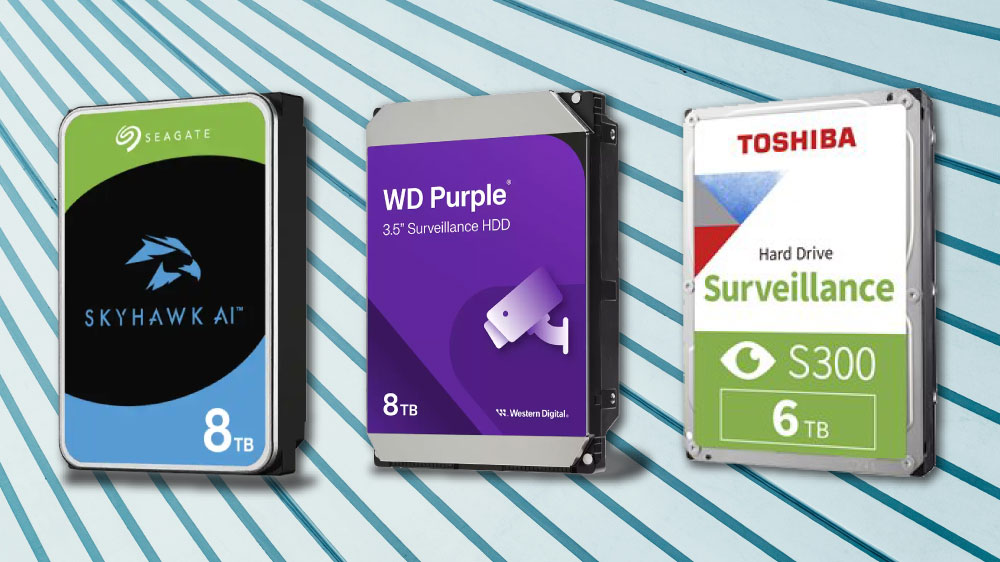
Choosing the right hard drive size is key to ensuring you have enough space for your recordings. Here’s a straightforward guide to help you understand how much storage you might need for a system with 4 cameras:
- 1TB Hard Drive: Stores about 8.5 days of continuous footage.
- 2TB Hard Drive: Stores about 17 days of footage.
- 4TB Hard Drive: Stores about 34 days of footage.
- 6TB Hard Drive: Stores about 51 days of footage.
- 8TB Hard Drive: Stores about 68 days of footage.
Important: These calculations are based on H.265 compression and recording at 10fps for four 4K cameras. The actual number of days may vary based on factors like traffic, AI functions, and recording settings.
DIY Installation vs. Professional Installation
When it comes to installation, you have two primary options:
- DIY Installation: Perfect for the hands-on homeowner, but requires technical know-how. You can save money, but improper installation may lead to blind spots or malfunctions.
- Professional Installation: The best option for peace of mind. Professionals ensure proper placement and configuration of your system, optimising its effectiveness and coverage.
Webhayer’s Installation Insight: If you’re unsure about installation or want a comprehensive security assessment, consider hiring professionals.
Conclusion: Your Next Steps
Now that you’re equipped with the knowledge to choose the right CCTV system for your home, it’s time to take action. Consider your specific needs, research your options, and don’t hesitate to contact us at Webhayer for expert advice and installation services.